
Dragon Shelter Guides Hub
Pick a page by the hour you are in — farm, kitchen, dragons, or the demo’s last tease.
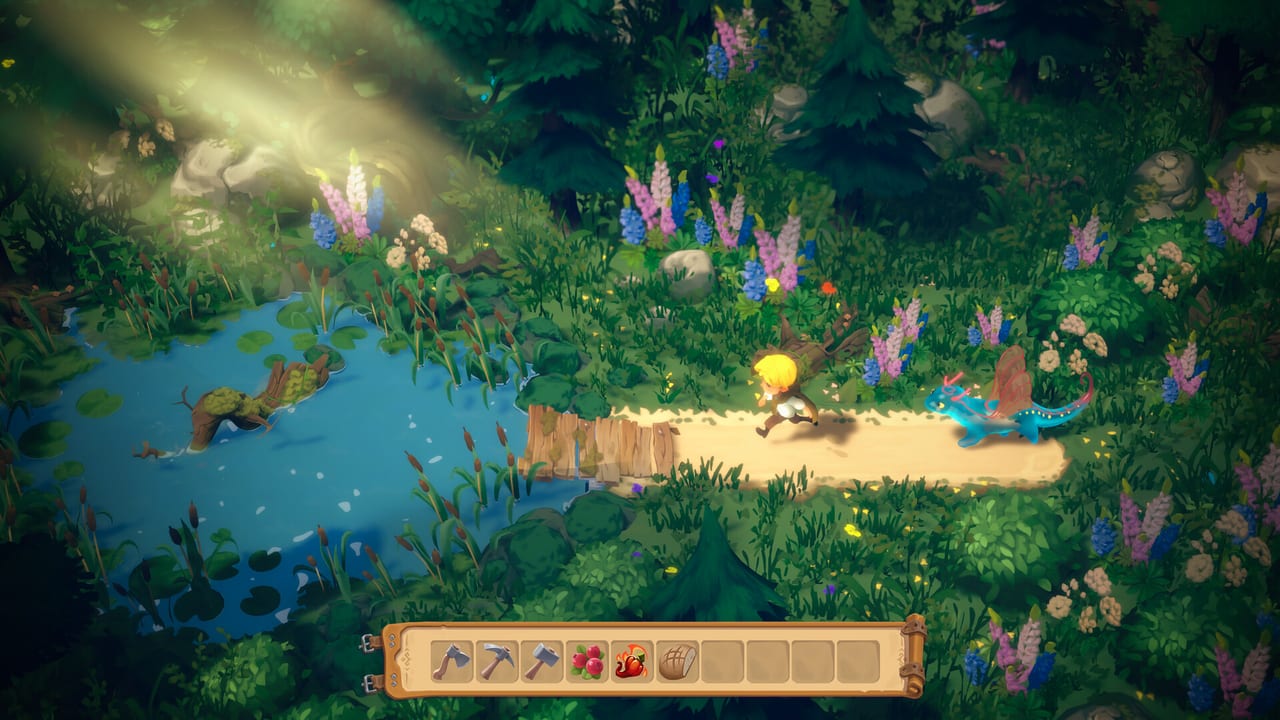
Dragon Shelter is a single-player cozy farm sim from Wild Forest Studio, published by Curve Games. The full game launches on Steam for Windows on September 24, 2026. Until then, you can download the demo and play a focused slice: grandpa’s abandoned farm, a scared water dragon, an outdoor kitchen, five townspeople, and a short fire dragon tease. Steam lists Family Sharing and does not list a price yet. This hub is the map, not a reprint. Each child page owns one job so you are not reading the same morning twice.
Use getting started if you have not slept in the farmhouse yet. Use the demo walkthrough when you want the days in order. Open farming, cooking, or dragon care when a single system is blocking you. Keep controls nearby for the HUD. Read the demo review if you are deciding whether the slice is for you.
What the demo actually teaches
The June 5, 2026 Wholesome Direct refresh rebuilt the opening around one guided route. You arrive, meet the town, plant, stand up the kitchen, befriend the water dragon, fill a few orders, earn a little trust, touch a first memory, and glimpse the fire dragon before the slice bows out. Wild Forest Studio’s own notes put that loop at about two to four hours. It is a tutorial with a heartbeat, not a tiny copy of the full year.
That distinction matters when you pick a guide. Getting started is the first-day onboarding: the house chest, the rusty tools, the murky pond, and the rule that right-click talks to the world. The demo walkthrough is the route after that first night — town visits, kitchen orders, Rufus and his jam problem, trust beats, and the fiery beds that tease pepper seeds. Do not skip the onboarding page and jump to the walkthrough if you still do not know where the shovel lives.
The full game is still ahead. Alpha notes mention seasons, animal husbandry, villager craft chains, a longer memory-healing story, the Forest of the Forgotten Memories biome, and extra trust-quest levels. None of those belong in a demo checklist as if you could finish them this afternoon. When a guide mentions them, it labels them as later work. For dates and what still sits behind the September 24, 2026 launch, use the release date page and the demo notes.
First-day pages versus system pages
Getting started answers “what do I touch in the first hour?” You loot the chest in grandpa’s house (rusty axe, hammer, pickaxe, watering can, shovel), clear overgrown beds, find the pond, and learn that sleep ends the day from the bed with a right-click. It also flags character customization, gamepad support, and save/load so you are not hunting menus while a dragon is waiting. If the HUD still feels alien, jump to controls instead of rereading the story beats.
Farming is the field manual. It covers beds, watering, glowing shore patches for water flowers, wheat-like crops, berries, potatoes, purple flowers, and the fiery beds that take flame pepper seeds. It explains how the water dragon starts watering once the pond is cleaner, and it treats weeds, rubble, and neglected soil as the real early pests. Bring the farm checklist if you like a printable loop more than prose.
Crafting is the July 2026 trailer layer: kitchen layout, jam as a procedure, tool upgrades, restored shops, and dragon rest spots. Seasons splits the demo’s Spring HUD from the four-season, festival, and biome promises for launch.
Cooking stays in the outdoor kitchen. Starter orders lean on jam and bread. Bread is not a single button: wheat goes through a miller, flour is wetted and rolled, and the oven wants wood and a light. Jam is the quality ask from Rufus after traders stop coming. Both dragons can wear chef hats and help at stations, but that help is still single-player — you are one farmer giving jobs, not a second human at the counter. The cooking page is also honest about demo friction: cramped layouts, a dragon that can get stuck, and a flute that sometimes fails to answer.
Dragon care is the trust page. Feed berries, right-click to pet, play the flute when you need the dragon to listen, and assign farm watering versus kitchen help. Water and fire are different animals with different beds and moods. The care page is where trampoline play and hunger belong, not a second copy of the planting list.
How the pages talk to each other
Read across, not down a dump. After you plant water flowers on the glowing shore, the farming guide should send you to dragon care because the pond is a relationship, not a sprinkler. After Rufus wants better jam, the walkthrough should send you to cooking instead of inventing extra recipes. After the fire dragon tease, both farming and care should point at flame peppers and the fire dragon roster entry rather than spoiling a full recruitment arc the demo does not finish.
The townsfolk page sits next to these guides because five people in town are part of the loop, but only Rufus is named here on purpose. Do not expect this hub to invent a cast list. If a villager wants a dish, cook it; if they hint at a dragon in the hills, treat it as a tease until the full game launches.
Controls are the quiet backbone. Number keys select a hotbar slot, Tab deselects, left-click plants or uses, E interacts, right-click interacts, Shift moves five items, and Ctrl moves a whole stack. The time and season HUD shows Spring in the demo. Inventory storage has locked slots, so early bag panic is normal. If a sentence in another guide assumes you already know that, it will link controls rather than repeat the table.
Who should start where
If you have not installed anything, confirm Windows and RAM on system requirements — Steam’s minimum asks for 16 GB even on Low — then grab the demo from the official links hub. If you already walked into the farmhouse, stay on getting started until the first night. If you have a dragon following you and a kitchen on fire (sometimes literally), split your time between cooking and dragon care. If you finished the slice and want a blunt verdict, open the demo review. If you want a ranked snapshot of the two dragons the demo shows, use the tier list after you have actually met them.
Patch history and launch timing live under updates. Roster detail lives under players. Tools stay practical: requirements and the farm checklist, not a fake calculator. This guides hub only promises the how-to spine.
When the full game launches on September 24, 2026, these pages will grow into seasons and husbandry. Until that date, treat every “later” feature as a label, not a spoiler that you missed a button. Play the demo at the pace of one clear bed, one clean pond, one honest meal, and one good night’s sleep.
Frequently Asked Questions
Quick answers to the most common Dragon Shelter questions.
Which Dragon Shelter guide should I open first?
Start with getting started for the first hour, then the demo walkthrough once you have slept in the farmhouse.
Does this hub cover the full game or only the demo?
It maps demo systems in depth and labels later features clearly. The full game launches September 24, 2026 — see the release date page.
Where do farming, cooking, and dragon care split?
Beds and crops live on farming. Orders, jam, and bread live on cooking. Hunger, petting, and the flute live on dragon care.
I cannot remember the keys. Is there a dedicated page?
Yes. Controls lists mouse, keyboard, gamepad notes, Shift for five items, Ctrl for whole stacks, and how to sleep.
Should I read the review before playing?
Only if you want a vibe check. The demo review is honest about kitchen friction and RAM, then sends you back to the play guides.