
Dragon Shelter system requirements
Quoted from the full-game Steam page — Windows only, 16 GB RAM floor, SSD recommended.
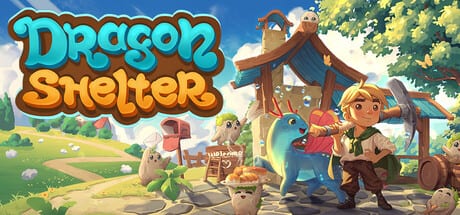
Dragon Shelter is a Windows Steam game. The numbers below are copied from the full-game store page, not guessed from a trailer, and not softened to make a laptop feel better. The campaign launches September 24, 2026. You can download the demo today. In both cases, treat this table as the contract. If an older demo note listed a lighter GPU, ignore it and keep the full-game figures.
This is a hardware page. For date and storefront facts, use the release date article. For what the playable slice contains, use the demo notes. For a first-night habit list, use the farm checklist. Specs and that checklist both sit under the Tools Hub.
Minimum (quoted)
Steam’s minimum block reads:
- OS: Windows 10 64-bit (64-bit processor and OS required)
- Processor: Intel Core i5-8400 / AMD Ryzen 5 1600
- Memory: 16 GB RAM
- Graphics: NVIDIA GeForce GTX 1050 Ti / AMD Radeon RX 560 (4 GB VRAM)
- DirectX: Version 11
- Storage: 10 GB available space
- Additional notes: 1080p @ 30 FPS on Low settings. SSD recommended
Read that as a floor for a playable Low 1080p session, not as a promise of 60 FPS in the kitchen when a dragon, particle water, and a busy HUD overlap. The memory line is the one people skip. Sixteen gigabytes is the minimum, not the recommended. An 8 GB machine is below spec even if the CPU looks fine on paper.
The CPU pair is a 2017–2018 hexacore class: Coffee Lake i5-8400 or first-generation Ryzen 5 1600. If your chip is slower than that and you still want to try, expect to drop effects and live with 30 FPS. This wiki will not invent a secret low-spec mode.
Recommended (quoted)
Steam’s recommended block reads:
- OS: Windows 11 64-bit (64-bit processor and OS required)
- Processor: Intel Core i5-9600K / AMD Ryzen 5 3600
- Memory: 32 GB RAM
- Graphics: NVIDIA GeForce GTX 1660 Ti / AMD Radeon RX 590 (6 GB VRAM)
- DirectX: Version 12
- Storage: 10 GB available space
- Additional notes: 1080p @ 60 FPS on High settings
Recommended is a High 1080p 60 FPS target, not a 4K target and not a ray-tracing target. The jump from 16 GB to 32 GB is large for a cozy farm sim; plan RAM if you keep a browser, Discord, and recording software open beside the game. DirectX 12 appears only on the recommended line. Minimum is DirectX 11. Do not assume a DX12-only feature is required to boot.
Storage is 10 GB on both tiers. That is small, but the SSD note on minimum is still worth honoring. Install on an SSD if you have one. Texture pop and farm streaming feel worse on a spinning disk than the byte count suggests.
Demo page versus full-game page
The demo is playable on Steam, and its requirements block has at times matched or echoed the full-game table. Historically, some demo copy sounded slightly lighter on the GPU side. Players repeating those older notes in threads are not a second spec sheet. Trust the full-game Steam page. When the two disagree, the September 24 product wins. Quote this article from that page, then recheck Steam the week of launch in case Wild Forest Studio or Curve Games revises the table.
Steam Deck compatibility is unknown. Unknown is not “verified” and not “unsupported.” If you try the demo on a handheld, you are experimenting. This page will not publish made-up TDP settings.
Windows only, single-player, languages
There is no macOS or Linux line. There is no console SKU on the storefront. Family Sharing is listed for the full game; that is a Steam feature, not extra hardware. The game is single-player. A second controller does not turn the kitchen into a two-human shift. Cooking together with a dragon still happens in one session on one machine.
Steam lists interface and subtitle support for English, Simplified Chinese, German, Russian, French, Spanish (Spain), Japanese, Korean, Portuguese-Brazil, and Traditional Chinese. This wiki writes English, French, German, and Spanish. Language support does not change the RAM floor.
Practical settings advice
If you sit on the minimum GPU, start at 1080p Low and raise one notch after a kitchen order and a terraforming burst, not after the title screen. Water effects and stove clutter cost more than a quiet field. If you sit on recommended hardware, High 1080p is the advertised target; 1440p is your own experiment.
Close overlays you do not need. Sixteen gigabytes disappears fast when Chrome, a recording stack, and the farm all run. Put the install on an SSD. Keep a Windows user account that is not fighting updater storms during the first demo evening.
Pair this page with the farm checklist so hardware and habits are both green. Then open Getting Started or the demo walkthrough. Controls live on the controls page. If the machine passes and the slice feels good, wishlist for September 24, 2026 and park the save. Official store links sit on the links hub. Specs are dull until they save the night; that is the only reason this page exists.
Frequently Asked Questions
Quick answers to the most common Dragon Shelter questions.
What is the Dragon Shelter RAM minimum?
16 GB. Steam lists 16 GB as minimum and 32 GB as recommended. Plan around the 16 GB floor.
Which GPU is the minimum?
NVIDIA GeForce GTX 1050 Ti or AMD Radeon RX 560 with 4 GB VRAM, for 1080p at 30 FPS on Low, DirectX 11.
Should I use the demo's older GPU notes?
No. Demo copy has sometimes sounded lighter. Trust the full-game Steam page numbers quoted here.
Does it run on macOS, Linux, or Steam Deck?
Steam lists Windows only. Deck compatibility is unknown. There is no macOS or Linux SKU on the store page.
How much disk space do I need?
10 GB available, SSD recommended. Both minimum and recommended share the 10 GB line.
Is this a multiplayer spec?
No. Dragon Shelter is single-player. You need one capable Windows PC, not two.